Create a game with AI: build Key Room step by step
A working browser game to play and download, with real screenshots, sample prompts, explained code and checked rules.
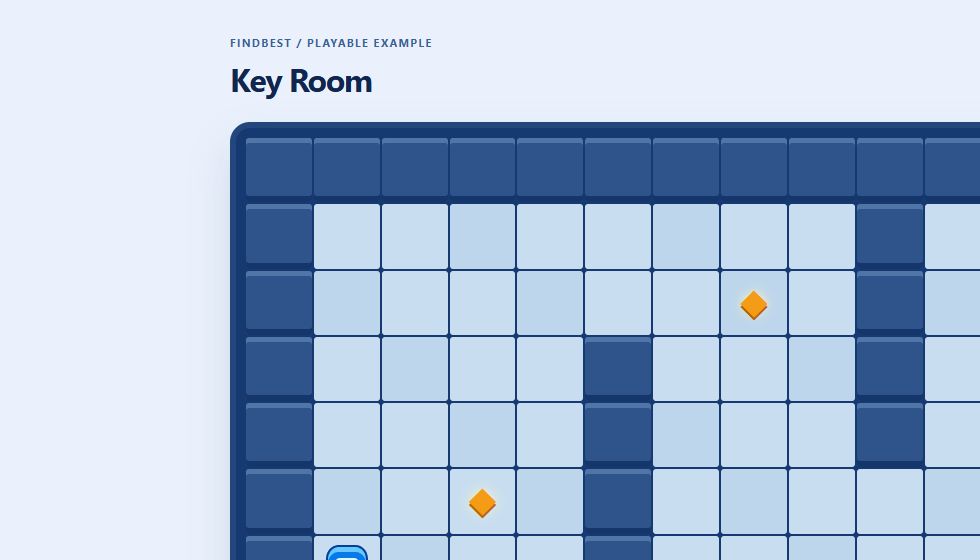
Play or download one HTML file.
Real screenshots from our example.
Specific prompts and verifiable changes.
What we built
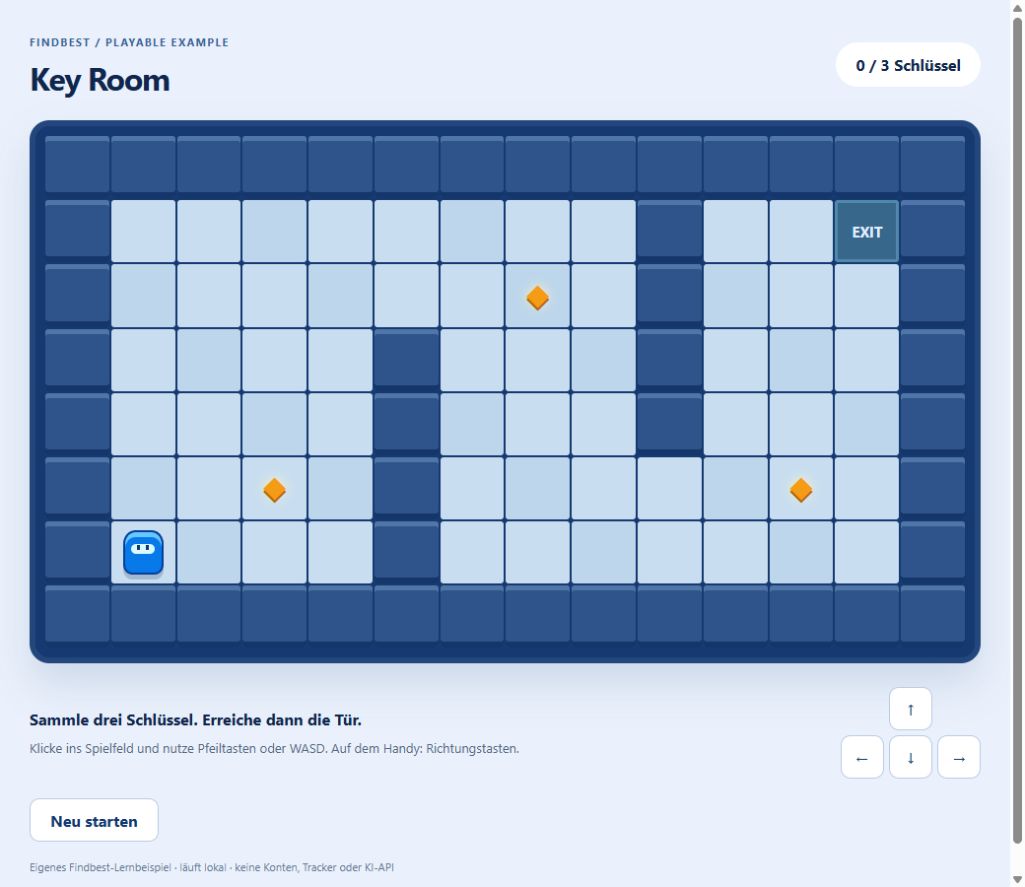
Key Room is one HTML file. A blue character crosses a room, collects three golden keys and reaches the exit. Try the result, then change it yourself.
The code was created for Findbest with the Codex agent and played through in a browser. We checked walls, single collection, a locked exit, winning, restarting and direction buttons in a mobile viewport. This is a limited functional check, not an AI model benchmark.
Try the finished example
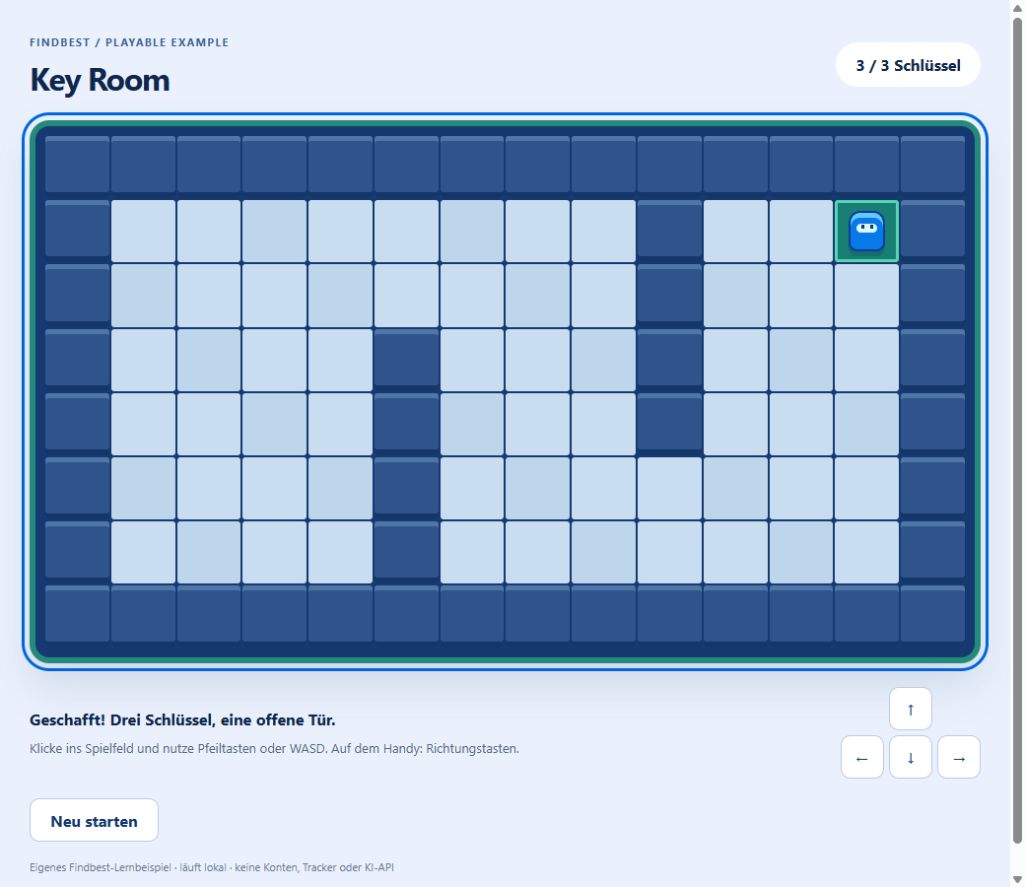
Key Room is our own working HTML, CSS and JavaScript example. The images below are actual screenshots, not generated product screenshots.
No installation or account required. The example makes no network requests and uses no AI API. The source is available under the MIT license included in the file.
Checked game rules
| Check | Expected result | Browser check |
|---|---|---|
| Wall | Position unchanged | Passed |
| Revisit key | No duplicate point | Passed |
| Exit with two keys | Locked | Passed |
| Three keys and exit | Success | Passed |
| Restart | Start, 0 of 3 | Passed |
Download and run the file
Choose “Download HTML source”. Save as findbest-key-room.html and double-click it. Edit the same file in a text editor, save and reload. If it opens as text, check that the name does not end in .txt.
Click the board before using arrows or WASD. Each input moves one square. On a phone, use the direction buttons. Golden diamonds represent keys.
Give AI a verifiable task
Define rules and boundaries rather than asking for “a great game”. This sample is a template for rebuilding the project, not a verbatim development transcript.
Open practical example
Create a browser game in one HTML file with CSS and JavaScript. Use 14 columns and 8 rows. Start at 1,6; keys at 3,5, 7,2 and 11,5; exit at 12,1. Outer walls block movement. Support arrows, WASD and on-screen buttons. Keys count once. Lock the exit until all three are collected. Add restart. No external libraries, trackers or network requests. Explain the functions.
Understand the three parts
HTML provides the board and controls. CSS draws them. JavaScript manages the rules. board is the game area, player holds coordinates, walls stores blocked positions and keys stores remaining collectibles.
A Set keeps each coordinate once. keys.delete removes a collected key and draw renders the new state. There is no continuous animation loop. The linked MDN references explain Set and CSS Grid.
Make one change
Find initialKeys. Change 3,5 to 2,4, save and reload. The first key moves one square left and up. Coordinates start at 0,0 in the top-left. Do not put a key inside a wall.
To add a wall, insert walls.add("7,4"); after existing walls are built. Check that keys and the exit remain reachable. Keep a working copy.
Open practical example
Move only the first key from 3,5 to 2,4. Keep other rules unchanged. Show the changed code and how to verify it.
Report a counterexample
Walk into a wall, revisit a collected key, approach the exit with two keys and restart after winning. Our browser check covered these cases. If your version differs, report the input, expected result and actual result.
Open practical example
I collect a key, step away and return. Expected: still 1 of 3. Actual: 2 of 3. Inspect only collection logic and explain the fix.
Make the game your own
Start with colors, names and wall positions. Add one rule next, such as a fourth key. Update the total and counter too. Recheck existing behavior before adding more.
This example has no saving, multiplayer, sound or pathfinding. CSS supplies the graphics. Use and modify our code under the included MIT license.
Build your version
What you need
A current browser and a plain text editor. For AI-assisted edits, use an assistant that returns code as text. The finished game needs no account, engine, server or API key.
- Download and open the HTML file.
- Save a working copy.
- Edit one position or rule.
- Reload and check the difference.
- Recheck walls, collection, exit and restart.
Example to get you started
Explain move(dx,dy), including the position check, collection and exit condition. Do not change code yet.
Things to consider
A learning game, not a complete commercial game or Roblox project. Checked in desktop and mobile browser viewports; not an exhaustive device or accessibility audit.
Read next
An AI world is not yet a finished game
Using Project Genie as a starting point: separate an explorable world from a game prototype you can evaluate.
Make a Unity game with AI: workflow and costs
Use AI for focused C# tasks, build a three-crystal level and separate engine, assistant and asset costs.

Unreal Engine with AI: a small Blueprint adventure and its costs
Use an assistant for Blueprint plans, level design and debugging, with a clear project scope and realistic budget.
Was this article helpful?
Your feedback helps us improve our articles.
Votes are counted per language version. Repeat voting is limited; totals do not necessarily represent distinct people. Privacy